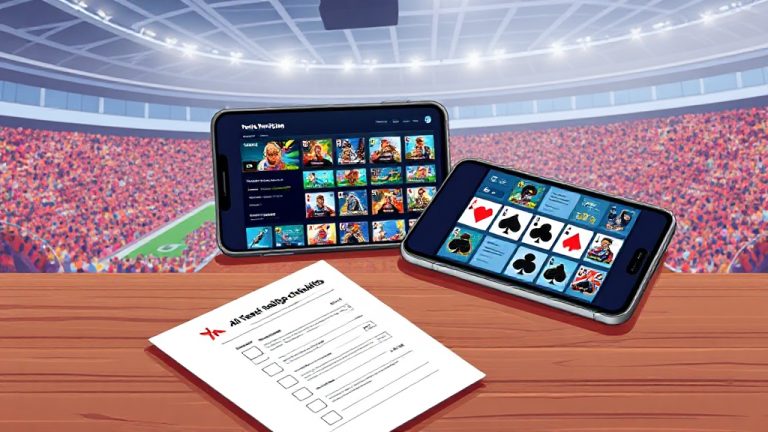
Packing List for Anyone About to Evaluate an AA Game Listing
Think of the last time you packed a bag for a trip. You probably laid out the essentials first, checked what you could leave behind, and only then thought about what the destination would actually feel like. Evaluating an AA GAME Apps listing works the same way. Before you tap install or trust a ranking badge, you need a checklist that separates what to bring, what to leave at home, and what to expect once you arrive at the app itself.
This is not a lecture about caution for its own sake. It is a practical packing ritual. The more deliberately you prepare, the less likely you are to unpack a disappointing app later. Below is the checklist I use when I sit down with a new listing, whether it comes from an editorial directory or a search result.
What to Pack: The Checks You Bring to Every AA Game Listing
The first compartment of your bag holds the tools you should never travel without. For an AA game listing, that means the basic facts that tell you whether the app is worth a closer look. Start with the developer name and the listing source. A directory that explains its editorial process is more useful than a bare download button, because it tells you who is doing the ranking and why. If the listing comes from a site that clearly separates its editorial role from any operator role, that is a good sign you are reading a guide rather than a sales pitch.
Next, pack the version details. Check the app size, the last update date, and the Android version it supports. These are boring details until they are not. An app that has not been updated in a long time may still work, but you deserve to know that before you commit storage space. Look for a changelog or release notes if the listing provides one. A short note about bug fixes tells you the developer is still paying attention.
Then bring your comparison habit. One listing in isolation is hard to judge. Put two or three AA game listings side by side and look at how they describe themselves. Does one explain its features in plain language while another leans on vague praise? Does one list its permissions clearly while another stays silent? The listing that answers your questions before you ask them is usually the one worth packing into your shortlist.
Finally, bring a note about where the install route leads. Some listings point to an official store page, while others describe a direct download path. Neither is automatically wrong, but you should know which one you are taking. A good directory will state the route plainly and include any disclaimers that apply. If the route is unclear, treat that as a missing item on your packing list.
What to Leave Behind: Habits That Weigh Down Your Evaluation
Every experienced traveler knows the bag gets lighter when you stop packing things you will never use. The same is true here. Leave behind the habit of trusting a single rating number without context. A high score with no explanation is like a destination photo with no address. It might be real, but it does not help you plan. Look for listings that show how rankings are formed, or at least separate editorial picks from user ratings.
Leave behind the assumption that a flashy listing equals a good app. Screenshots can be staged, and feature lists can be copied. What you want is consistency: does the description match the screenshots, and do the screenshots match the features? If the listing promises a card-style experience but the images show something unrelated, that mismatch is a warning worth heeding.
Also leave behind the urge to install immediately. The evaluation stage is not the installation stage. Give yourself permission to read the listing fully, check the permissions, and compare it with one alternative before you decide. This small pause is the equivalent of checking your passport before you leave the house. It costs a minute and saves a lot of regret.
One more thing to leave behind: the idea that every listing deserves equal time. Some listings are thin, repetitive, or clearly built to capture a search term. When you notice that pattern, move on. Your attention is the heaviest item in your bag, and you should spend it where the listing earns it.
What to Expect at the Destination: Reading the App Beyond the Listing
When you finally arrive at the app itself, you will discover whether your packing was accurate. The first thing to check is whether the app matches its listing. Does the interface look like the screenshots? Are the features described in the listing actually present? A small mismatch is normal, but a large one suggests the listing was written by someone who never opened the app.
Next, pay attention to how the app handles its own information. Clear menus, readable settings, and honest permission requests are signs of a well-built product. If the app asks for access it does not need, or pushes you toward actions you did not choose, that is the travel equivalent of arriving at a hotel that does not match the booking. You can still stay, but you should note it.
Expect the experience to be iterative. Most AA game apps are not finished products on day one. They receive updates, fix bugs, and adjust features. A listing that shows a recent update history is telling you the app is alive. A listing that has been static for a long time is telling you something else. Neither is automatically good or bad, but both are useful context for your decision.
Finally, expect to debrief. After you try an app, compare your experience with what the listing promised. Did the install route work as described? Were the features as advertised? Did the app feel like the category it claimed to belong to? This debrief is how you refine your packing list for the next listing. Over time, your checklist becomes sharper, and your evaluations become faster without becoming careless.
Debrief: Turning the Checklist Into a Habit
The value of a packing list is not the list itself but the habit it creates. Once you have evaluated a few AA game listings with this structure, the checks become automatic. You will glance at the developer, scan the update history, compare two listings, and note the install route without thinking about it. That is the point. Preparation should reduce friction, not add bureaucracy.
Keep the metaphor in mind the next time you open a directory. You are not just browsing; you are packing for a short trip into an app you have not tried yet. Bring the facts, leave the assumptions, and arrive with a clear sense of what you expect. The listings that survive that process are the ones worth your time.
FAQ
What should I check first in an AA game listing?
Start with the developer name and the listing source. A directory that explains its editorial process gives you more context than a bare download button. Then check the update date and supported Android version before you look at screenshots or ratings.
How do I compare two AA game listings fairly?
Put them side by side and compare the same details: description clarity, feature lists, permission requests, update history, and install route. Look for consistency between what the listing says and what the screenshots show. The listing that answers your questions plainly is usually the stronger candidate.
Should I trust a high rating on its own?
No. A rating without context is hard to interpret. Look for listings that explain how rankings are formed or separate editorial picks from user scores. A high number with no explanation is less useful than a moderate score with a clear rationale.
What does the install route tell me about a listing?
It tells you where the download leads and whether the listing is transparent about it. A good directory states the route plainly and includes any relevant disclaimers. If the route is vague or missing, treat that as a reason to slow down and check further.
About the Author